

Heat Pump Scheduling: Always On, Setback or Cheap-Hours Preheat
Compare always-on heating, night setback and cheap-hours preheat. See daily kWh, cost, cold hours and peak power with temperature-dependent COP and recovery limits.

Should I leave my heat pump on all the time, use a night setback, or preheat when electricity is cheap? This calculator compares the three schedules for the same house, weather and tariff. It is intended for engineers, students, homeowners and energy advisers exploring a practical heating question.
Start with your house heat-loss coefficient and effective thermal storage. The fast node represents room air and rapidly responding contents; the slow node represents walls, floors and furniture. Values inferred from a measured cool-down and recovery are more useful than guesses based only on building age. Choose constant outdoor temperature or enter an hourly profile.
Enter two or three COP values from the same heat-pump datasheet at the stated outdoor/flow conditions. The example uses an older Vaillant aroTHERM Split 7 kW model; it is not a recommendation or a claim about every 7 kW unit. Enter available thermal capacity separately: a nominal part-load test output is not necessarily the maximum available output. The COP model fits outdoor and flow-temperature effects separately and rejects data that imply reversed temperature trends. Set the weather-compensation curve, maximum flow and permitted recovery boost. Enter your emitter output, its rated mean-water temperature difference and exponent. For floor heating, change both rating and exponent; separate slab and water delays are outside this model.
Each hourly control offers cheap, normal and peak scenario presets. Open it and enter your own price and outdoor temperature. Prices apply in both weather modes; hourly temperatures apply only in hourly-weather mode. Use one currency throughout, such as EUR or GBP, and enter currency units per kWh, not cents or pence. Defaults are illustrative prices dated 27 October 2026, not a live Octopus Cosy, Agile or German dynamic tariff. Include applicable marginal grid charges and taxes in the hourly prices; daily standing charges are excluded.
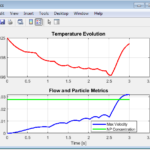
Always on holds the normal room target. Night setback lowers it, then starts recovery before the morning time. Cheap-hours preheat raises the target whenever price is at or below your threshold, and uses the lower coast target at other times. It does not automatically optimise the schedule. Play the day clock to follow the cheap-hours strategy through the heat pump, emitters, room air and stored heat; the charts compare all three schedules.
Read electricity, daily money cost and peak electrical input alongside comfort. Cold hours use the normal setpoint minus the entered tolerance, including the deliberately cooler night. Occupied cold hours and shortfall degree-hours distinguish that planned setback from a cold breakfast. The recommendation requires no more than half an occupied hour below this threshold or above normal plus 2 K. All strategies begin at their own repeating daily state so a colder end-of-day mass does not create a false saving. The solver refines its grid until cost and comfort agree within stated tolerances, and blocks results if accuracy is insufficient. Use quarter-hour schedule and occupancy times; small cost differences may be reported as a numerical tie. Charts show 15-minute temperature samples and average powers; comfort and extrema use the finer accepted grid.
For outage cooling and cold-house recovery, use House Cool-Down and Warm-Up (#805) (/calcs/house-cool-down-and-warm-up-time-calculator/). For annual fuel comparisons, use Heat Pump Running Cost (#782) (/calcs/heat-pump-running-cost-calculator/). This one-zone estimate excludes domestic hot water, resistance backup, detailed cycling, solar variation and room-by-room comfort. It supports scenario comparison, not a guaranteed bill or controller setting. Installation and electrical work belong to qualified persons.
How it is calculated
The two-node balance is derived here from energy conservation:
Capacitances use kWh/K, conductances kW/K and time h. The room controller and plant update are coupled. For each interval, the unconstrained air target follows the exact first-order response with a 0.5 h response time. The corresponding mass temperature is predicted implicitly, and the heat needed to reach these two end states follows from the discrete energy balances. That heat is clipped at zero, available heat-pump capacity and emitter output evaluated at the planned end temperature. The actual air and mass end states are then solved together. This avoids applying a stale air-to-mass heat-transfer demand over a long interval. When output is limited, the conservative emitter estimate is refined along with the time step.
Emitter output is , with mean water . Inverting it gives requested flow. The weather curve is linear between the entered flows at +15 °C and −5 °C outdoors, shifted by the scheduled room-target change. Flow is limited by the curve plus recovery boost and the entered maximum, with an assumed 20 °C minimum command. Ideal modulation/throttling may reduce output while keeping that flow command.
Each COP point gives an effective Carnot fraction . Separate logarithmic slopes fit flow and outdoor dependence:
The A7/W35 and A7/W55 points determine ; A−7/W35 determines . With two points, is an explicit assumption. The fraction is capped at 0.95, and . These are effective air/water temperatures, not refrigerant saturation temperatures. Input conditions enforce decreasing COP with flow and increasing COP with outdoors over the model's 20–70 °C flow and −15 to +15 °C outdoor range. They apply to entered data, before the optional defrost allowance.
W35 capacity interpolates between entered −5 and +2 °C outputs and is held at endpoints outside that interval. The entered fractional penalty reduces it above W35. Optional extra defrost reduces COP and capacity between −5 and +5 °C; avoid double counting test-data defrost.
Each grid finds its own periodic midnight states by a finite-difference Newton solve. The solver compares 96 with 192 intervals, then refines to 384 or 768 if needed. Acceptance requires changes of at most 0.2% in electricity; the larger of 0.01 currency units or 0.2% of absolute variable charges in cost; 2 minutes in all-day cold, occupied cold and occupied hot duration; and 0.02 K·h in occupied deficit. Both thermal states must repeat within 0.01 K. Failure blocks results. Durations and deficit use linearly interpolated threshold crossings, and schedule/occupancy times use quarter-hour increments.
The final grid supplies all comfort statistics, extrema, limitation hours and energy-balance residuals. Charts store quarter-hour temperature/flow samples and quarter-hour average heat/electrical powers; averaging preserves electricity, delivered heat and cost because tariff changes are hourly. The reported peak is the maximum modelled input over accepted internal intervals, not a compressor-start surge. Grid differences estimate numerical sensitivity, not rigorous error bounds or building-model uncertainty. The recommendation adds the occupied-duration difference as a comfort margin and reports a cost tie when the winning gap is within twice the largest cost difference. Energy-balance residuals are rounded to 10⁻⁹ kWh. Electricity includes the entered extra allowance only while heating. The three scheduling rules are compared; no tariff optimisation is performed.
Assumptions
One well-mixed heated zone; all external heat loss is attached to its air node. The slower mass exchanges heat only with room air. Effective capacitances and coupling are user estimates, not a construction-material catalogue. Internal gains are constant. Every 24-hour weather, tariff and occupancy profile repeats.
The hydronic emitter has no separate water or slab state. Flow-to-return drop and emitter exponent stay constant. Ideal continuous modulation and room feedback are assumed; minimum compressor speed, cycling loss, anti-short-cycle delays, hydraulic buffers and actual manufacturer recovery logic are not modelled. “Always on” describes a constant room target, not a compressor forced to run continuously.
Additional electricity is charged only while useful heat is delivered. Enter only auxiliaries outside the COP test boundary. There is no domestic hot water, immersion/backup heater, cooling, solar PV export, standing charge or demand-charge calculation. At negative electricity prices, a negative variable heating cost is possible. All money is in the currency whose hourly prices you enter.
Quarter-hour schedule and occupancy boundaries coincide with every tested grid. Weather and prices remain hourly steps. Time-step acceptance measures agreement of successive grids; near a comfort or cost decision boundary the recommendation uses the reported grid differences conservatively.
Where it applies
One-zone heating-day screening, with outdoor temperatures from −15 to +15 °C and heat-producing flow commands from 20 to 70 °C. COP is calibrated at W35/W55 and available capacity only at the two entered outdoor points. Beyond those data, the smooth COP surface and endpoint-held capacity are approximations, not a validated manufacturer map. The tool warns when simulated flow exceeds W55. Use real capacity data and check the full operating envelope.
The COP model is checked against a withheld legacy A2/W35 point and a separate VWL 105/6 A7/W45 point. The latter predicts about 3.91 against the published 4.10 within a declared 5% component-check tolerance. These checks do not establish whole-map accuracy or validate daily savings in a real house. Automatic grid refinement tests numerical cost and comfort sensitivity separately from energy conservation and daily repetition; a reproduced stiff-house case is retained as a regression property.
Fraunhofer WPsmart im Bestand and UK Electrification of Heat reports provide field-performance context, not one-day COP targets. Date et al. motivates accounting for thermal mass and recovery; its electric-heater peak reductions are not transferred to heat pumps here.
EN 442 and EN 14511 are named for emitter and test-condition context only; no standards tables or figures are reproduced, and this is not a conformity calculation. Check against the standard in force where applicable. Editable prices are illustrative scenarios dated 2026-10-27, not current supplier quotations or legal entitlements. Installation and electrical work belong to qualified persons.
References
- Vaillant, aroTHERM Split technical information, p. 5, 7 kW column: COP and available-output example data. https://professional.vaillant.co.uk/downloads/aproducts/renewables-1/arotherm-split-1/vaillant-arotherm-split-1-0-lr-1454128.pdf
- Stelrad Professional, Correction Factor: published radiator factors at ΔT20 and ΔT30. https://www.stelradprofessional.com/stelrad-correction-factor/
- Fraunhofer ISE (2020), WPsmart im Bestand final report: heat-pump field performance in existing buildings; contextual evidence, not schedule calibration. https://wp-monitoring.ise.fraunhofer.de/wp-smart-im-bestand/download/Berichte/BMWi-03ET1272A-WPsmart_im_Bestand-Schlussbericht.pdf
- Energy Systems Catapult (2024), Electrification of Heat: summary reports and datasets. https://es.catapult.org.uk/report/electrification-of-heat-summary-reports-and-datasets/
- Date, Athienitis and Fournier (2015), A Study of Temperature Set Point Strategies for Peak Power Reduction in Residential Buildings, Energy Procedia 78, 2130–2135. https://doi.org/10.1016/j.egypro.2015.11.289
- Vaillant (0020330792_01), aroTHERM plus installation and maintenance instructions, pp. 47–48, VWL 105/6: A7/W35 5.30, A7/W55 3.10 and A−7/W35 2.70 used only in a separate check; withheld A7/W45 4.10. https://professional.vaillant.co.uk/downloads/product-brochures/arotherm-plus-230v-double-2626669.pdf
Inputs
| Input | Symbol | Unit | Default |
|---|---|---|---|
| Normal room setpoint The same normal setpoint is the comfort reference for all three strategies. | T_comfort | °C | 21 |
| Whole-house heat-loss coefficient Transmission plus ventilation. Divide a design heat loss by the indoor–outdoor temperature difference. | H_loss | W/K | 180 |
| Air and fast contents heat capacity Effective fast storage, not just the air. Illustrative house values; fit to a measured cool-down. | C_fast | kWh/K | 0.35 |
| Building-mass heat capacity Effective storage in floors, walls and furniture. Tune against measured cooling and heating. | C_slow | kWh/K | 8 |
| Air-to-mass conductance Controls how quickly the building mass participates. Illustrative fitted parameter. | H_mass | W/K | 800 |
| Continuous internal heat gains Constant sensible gains. Solar gains are not separately modelled. | Q_gain | kW | 0.3 |
| Outdoor weather | weather_mode | Constant temperature | |
| Constant outdoor temperature Held for all 24 hours. | T_out | °C | 0 |
| Night setback depth The lower target is the normal room setpoint minus this value. | setback | K | 3 |
| Night setback starts Local clock time; windows may cross midnight. Use quarter-hour increments (0.25 h). | night_start | h | 22 |
| Night setback ends Nominal morning time; recovery starts earlier by the recovery lead. Use quarter-hour increments (0.25 h). | night_end | h | 7 |
| Start recovery this much earlier Target returns to normal before the nominal end of night. Use quarter-hour increments (0.25 h). | recovery_lead | h | 2 |
| Cheap-hour temperature boost Cheap-hours strategy targets normal plus this boost whenever the entered price is at or below the threshold. | preheat | K | 1.5 |
| Outside cheap hours: target reduction Cheap-hours strategy targets normal minus this amount outside cheap hours. This is a rule-based strategy, not a tariff optimiser. | coast | K | 0.3 |
| Cheap-hour price threshold (currency/kWh) Enter prices in one chosen currency per kWh (for example 0.15 EUR/kWh). Currency counts are dimensionless; the energy denominator is handled explicitly. | cheap_limit | 1/kWh | 0.15 |
| Occupied comfort starts Comfort checks use this daily window, which may cross midnight. Use quarter-hour increments (0.25 h). | occupied_start | h | 7 |
| Occupied comfort ends Use quarter-hour increments (0.25 h). | occupied_end | h | 22 |
| Allowed temperature shortfall Hours below setpoint count temperatures below normal minus this tolerance. Occupied shortfall degree-hours use the same threshold. | comfort_band | K | 0.5 |
| Whole-zone emitter output at rating Illustrative total radiator output at 50 K mean-water-to-room difference. Use the installed emitter total. | Q_emitter | kW | 12 |
| Rated mean-water-to-room difference For radiators normally 50 K. For floor heating enter its design output and corresponding mean-water difference. | DT_rating | K | 50 |
| Emitter exponent About 1.3 for radiators; about 1.1 for a simplified floor-heating characteristic. Use manufacturer data. This model does not include a separate slab/water state. | n_emit | 1.3 | |
| Flow-to-return water drop Assumed constant: mean water temperature equals flow minus half this drop. | DT_water | K | 5 |
| Weather curve: flow at mild outdoor point | flow_mild | °C | 28 |
| Weather curve: flow at cold outdoor point | flow_cold | °C | 45 |
| Maximum permitted flow temperature Default matches the legacy example appliance's space-heating flow limit. Check your model. | flow_max | °C | 55 |
| Recovery boost above weather curve Room control may raise flow by at most this much above the curve. Set zero to test recovery under a strict weather curve. | flow_boost | K | 10 |
| Number of COP data points Water temperature is leaving-water temperature. Fixed common test conditions keep entry manageable; enter COPs from the same model and test boundary. | fit_points | Three: also A−7/W35 | |
| COP at A7/W35 Legacy Vaillant aroTHERM Split 7 kW example, technical data page 5. Replace with your heat pump. | cop_735 | 4.7 | |
| COP at A7/W55 Same legacy 7 kW model. | cop_755 | 2.7 | |
| COP at A−7/W35 Same legacy 7 kW model. | cop_m735 | 2.7 | |
| Additional near-freezing defrost loss Fractional extra COP and capacity loss, applied from −5 to +5 °C. Default zero because published EN 14511 data may already include defrost. Avoid counting the same loss twice. | defrost | 0 | |
| Available output at cold point / W35 Legacy 7 kW example: 6.7 kW at −5 °C/W35, technical data page 5. Use available full-load capacity, not a nominal A7 part-load rating. | Q_cap_cold | kW | 6.7 |
| Available output at mild point / W35 Legacy example: 8.0 kW at +2 °C/W35. Capacity is interpolated and held at the endpoints outside these outdoor points. | Q_cap_mild | kW | 8 |
| Fractional capacity loss per K above W35 Approximation from the example's −5 °C ratings: 6.7 kW at W35 and 5.6 kW at W55. No capacity increase below W35. Confirm with the full manufacturer map. | cap_drop | 1/K | 0.0082 |
| Additional electricity while heating External circulation and controls not included in entered COP. Included in electricity and peak input. No resistance backup is modelled. | P_aux | kW | 0.03 |
| 00:00–01:00 Open the hour and enter your own values for this hour's price (currency/kWh) and outdoor temperature. All money uses your chosen currency. Outdoor temperature is used only in hourly-weather mode; prices always apply. Default rates are illustrative, not live tariff quotes. | hour00 | cheap | |
| 01:00–02:00 Open the hour and enter your own values for this hour's price (currency/kWh) and outdoor temperature. All money uses your chosen currency. Outdoor temperature is used only in hourly-weather mode; prices always apply. Default rates are illustrative, not live tariff quotes. | hour01 | cheap | |
| 02:00–03:00 Open the hour and enter your own values for this hour's price (currency/kWh) and outdoor temperature. All money uses your chosen currency. Outdoor temperature is used only in hourly-weather mode; prices always apply. Default rates are illustrative, not live tariff quotes. | hour02 | cheap | |
| 03:00–04:00 Open the hour and enter your own values for this hour's price (currency/kWh) and outdoor temperature. All money uses your chosen currency. Outdoor temperature is used only in hourly-weather mode; prices always apply. Default rates are illustrative, not live tariff quotes. | hour03 | cheap | |
| 04:00–05:00 Open the hour and enter your own values for this hour's price (currency/kWh) and outdoor temperature. All money uses your chosen currency. Outdoor temperature is used only in hourly-weather mode; prices always apply. Default rates are illustrative, not live tariff quotes. | hour04 | cheap | |
| 05:00–06:00 Open the hour and enter your own values for this hour's price (currency/kWh) and outdoor temperature. All money uses your chosen currency. Outdoor temperature is used only in hourly-weather mode; prices always apply. Default rates are illustrative, not live tariff quotes. | hour05 | cheap | |
| 06:00–07:00 Open the hour and enter your own values for this hour's price (currency/kWh) and outdoor temperature. All money uses your chosen currency. Outdoor temperature is used only in hourly-weather mode; prices always apply. Default rates are illustrative, not live tariff quotes. | hour06 | normal | |
| 07:00–08:00 Open the hour and enter your own values for this hour's price (currency/kWh) and outdoor temperature. All money uses your chosen currency. Outdoor temperature is used only in hourly-weather mode; prices always apply. Default rates are illustrative, not live tariff quotes. | hour07 | normal | |
| 08:00–09:00 Open the hour and enter your own values for this hour's price (currency/kWh) and outdoor temperature. All money uses your chosen currency. Outdoor temperature is used only in hourly-weather mode; prices always apply. Default rates are illustrative, not live tariff quotes. | hour08 | normal | |
| 09:00–10:00 Open the hour and enter your own values for this hour's price (currency/kWh) and outdoor temperature. All money uses your chosen currency. Outdoor temperature is used only in hourly-weather mode; prices always apply. Default rates are illustrative, not live tariff quotes. | hour09 | normal | |
| 10:00–11:00 Open the hour and enter your own values for this hour's price (currency/kWh) and outdoor temperature. All money uses your chosen currency. Outdoor temperature is used only in hourly-weather mode; prices always apply. Default rates are illustrative, not live tariff quotes. | hour10 | normal | |
| 11:00–12:00 Open the hour and enter your own values for this hour's price (currency/kWh) and outdoor temperature. All money uses your chosen currency. Outdoor temperature is used only in hourly-weather mode; prices always apply. Default rates are illustrative, not live tariff quotes. | hour11 | normal | |
| 12:00–13:00 Open the hour and enter your own values for this hour's price (currency/kWh) and outdoor temperature. All money uses your chosen currency. Outdoor temperature is used only in hourly-weather mode; prices always apply. Default rates are illustrative, not live tariff quotes. | hour12 | normal | |
| 13:00–14:00 Open the hour and enter your own values for this hour's price (currency/kWh) and outdoor temperature. All money uses your chosen currency. Outdoor temperature is used only in hourly-weather mode; prices always apply. Default rates are illustrative, not live tariff quotes. | hour13 | normal | |
| 14:00–15:00 Open the hour and enter your own values for this hour's price (currency/kWh) and outdoor temperature. All money uses your chosen currency. Outdoor temperature is used only in hourly-weather mode; prices always apply. Default rates are illustrative, not live tariff quotes. | hour14 | normal | |
| 15:00–16:00 Open the hour and enter your own values for this hour's price (currency/kWh) and outdoor temperature. All money uses your chosen currency. Outdoor temperature is used only in hourly-weather mode; prices always apply. Default rates are illustrative, not live tariff quotes. | hour15 | normal | |
| 16:00–17:00 Open the hour and enter your own values for this hour's price (currency/kWh) and outdoor temperature. All money uses your chosen currency. Outdoor temperature is used only in hourly-weather mode; prices always apply. Default rates are illustrative, not live tariff quotes. | hour16 | peak | |
| 17:00–18:00 Open the hour and enter your own values for this hour's price (currency/kWh) and outdoor temperature. All money uses your chosen currency. Outdoor temperature is used only in hourly-weather mode; prices always apply. Default rates are illustrative, not live tariff quotes. | hour17 | peak | |
| 18:00–19:00 Open the hour and enter your own values for this hour's price (currency/kWh) and outdoor temperature. All money uses your chosen currency. Outdoor temperature is used only in hourly-weather mode; prices always apply. Default rates are illustrative, not live tariff quotes. | hour18 | peak | |
| 19:00–20:00 Open the hour and enter your own values for this hour's price (currency/kWh) and outdoor temperature. All money uses your chosen currency. Outdoor temperature is used only in hourly-weather mode; prices always apply. Default rates are illustrative, not live tariff quotes. | hour19 | normal | |
| 20:00–21:00 Open the hour and enter your own values for this hour's price (currency/kWh) and outdoor temperature. All money uses your chosen currency. Outdoor temperature is used only in hourly-weather mode; prices always apply. Default rates are illustrative, not live tariff quotes. | hour20 | normal | |
| 21:00–22:00 Open the hour and enter your own values for this hour's price (currency/kWh) and outdoor temperature. All money uses your chosen currency. Outdoor temperature is used only in hourly-weather mode; prices always apply. Default rates are illustrative, not live tariff quotes. | hour21 | normal | |
| 22:00–23:00 Open the hour and enter your own values for this hour's price (currency/kWh) and outdoor temperature. All money uses your chosen currency. Outdoor temperature is used only in hourly-weather mode; prices always apply. Default rates are illustrative, not live tariff quotes. | hour22 | normal | |
| 23:00–24:00 Open the hour and enter your own values for this hour's price (currency/kWh) and outdoor temperature. All money uses your chosen currency. Outdoor temperature is used only in hourly-weather mode; prices always apply. Default rates are illustrative, not live tariff quotes. | hour23 | normal | |
| Day clock ▶ Play to follow room air, stored heat and recovery. The full daily simulation is cached between frames. | clock_hour | h | 7 |
Results
With the default inputs above, the calc gives:
| Result | Value |
|---|---|
| Least cost meeting occupied comfort limits | Cheap-hours preheat |
| Always on electricity | 30.14 kWh |
| Always on daily cost (currency) | 7.69 |
| Night setback electricity | 30.01 kWh |
| Night setback daily cost (currency) | 8.25 |
| Cheap-hours preheat electricity | 31.14 kWh |
| Cheap-hours preheat daily cost (currency) | 7.22 |
| Accepted internal interval | 7.5 min |
Checked against sources
Each case below was calculated by this calc and agrees with the value from its source (within the tolerance where one is shown).
Published radiator correction at ΔT30
Source: Stelrad Professional, Correction Factor table: ΔT30 correction factor 0.513; https://www.stelradprofessional.com/stelrad-correction-factor/ . The generic n=1.3 power law gives 0.51475; tolerance 0.003 allows the manufacturer's tabulated average exponent and rounding.
Inputs: the default inputs above.
| Result | Source | This calc |
|---|---|---|
| Emitter correction at ΔT30 | 0.513 ± 0.003 | 0.5148 |
Published radiator correction at ΔT20
Source: Stelrad Professional, Correction Factor table: ΔT20 correction factor 0.302. Same manufacturer table, independent of this implementation. Generic n=1.3 is an approximation.
Inputs: the default inputs above.
| Result | Source | This calc |
|---|---|---|
| Emitter correction at ΔT20 | 0.302 ± 0.003 | 0.3039 |
Withheld manufacturer point: A2/W35
Source: Vaillant aroTHERM Split technical data, PDF page 5, 7 kW column: A2/W35 output/input/COP = 4.60 / 1.21 / 3.80. This point is NOT used to fit the Carnot fractions. ±0.04 checks the local interpolation only; not general performance validation. https://professional.vaillant.co.uk/downloads/aproducts/renewables-1/arotherm-split-1/vaillant-arotherm-split-1-0-lr-1454128.pdf
Inputs: the default inputs above.
| Result | Source | This calc |
|---|---|---|
| Estimated COP at withheld A2/W35 point | 3.8 ± 0.04 | 3.781 |
Withheld VWL 105/6 flow point: A7/W45
Source: Vaillant 0020330792_01 installation and maintenance instructions, PDF pp. 47–48, VWL 105/6 A 230V S2. Calibration points A7/W35 5.30, A7/W55 3.10 and A−7/W35 2.70; withheld A7/W45 COP 4.10 on p. 47. Absolute tolerance 0.205 is 5% of the independent value, a local component check rather than a whole-map guarantee. https://professional.vaillant.co.uk/downloads/product-brochures/arotherm-plus-230v-double-2626669.pdf
Inputs: COP at A7/W35 = 5.3; COP at A7/W55 = 3.1; the others as above.
| Result | Source | This calc |
|---|---|---|
| Withheld manufacturer A7/W45 COP | 4.1 ± 0.205 | 3.912 |









Responses