

ENTERPRISE EDITION
● AIR-GAPPED • ON-PREMISE DEPLOYMENT
ON-PREMISE AGENTIC AI FOR CAD, 3D FEA & CONTROL
Autonomous Virtual Engineer: Air-Gapped AI for CAD, 3D FEA & Control
Compress weeks of manual CAD drafting, electromagnetic 3D FEA, thermal motor sizing and Simulink control synthesis into hours. The agent drives AutoCAD, Ansys, SolidWorks and MATLAB through local APIs and Model Context Protocol (MCP) — 100% air-gapped inside your enterprise perimeter.
✓ Zero cloud transmission
✓ Runs on your hardware
✓ Uses your existing license servers
−95%
Cycle time reduction: CAD layout & routing automated in 42s vs. manual drafting
46 min
End-to-end PMSM motor design from engineering prompt to 3D FEA verification
100%
Deterministic physics: verified by Ansys & WiredWhite CALC with zero AI guessing
0
External API calls: 100% air-gapped on your hardware with zero cloud egress
Verified across the live recorded engineering sessions and on-premise deployments below.
ORCHESTRATES INDUSTRY-STANDARD ENGINEERING SUITES VIA LOCAL API & CUSTOM MCP

HOW IT WORKS
From an engineering prompt to a verified result
1
Describe the task
Write the request in plain engineering language, the way you would brief a junior engineer.
2
The agent drives your tools
It plans the steps and operates AutoCAD, Motor-CAD, Maxwell 3D or Simulink through their local APIs and MCP bridges.
3
Solvers do the physics
Geometry, fields and thermal margins come from deterministic solvers and WiredWhite CALC. The model never guesses numbers.
4
You review the result
Drawings, models and a report that cites the source of every number, saved as a new version for your sign-off.
MULTI-DOMAIN WORKBENCH PIPELINE
Autonomous CAD, 3D FEA & Simulink Workflows — Recorded Solver Sessions
Every workflow pairs natural-language engineering intent with deterministic CAD/CAE execution across Autodesk AutoCAD, Ansys Motor-CAD, Ansys Maxwell 3D, and MATLAB & Simulink—built on WiredWhite’s custom simulation and engineering tool automation bridges.
01 • CAD & LAYOUT AUTOMATION

Autodesk AutoCAD Automation: Natural Language to Production DWG
ENGINEERING PROMPT
"Design an EV Car Charger station in AutoCAD on building bay B1 and route single-phase 3x6mm² power lines to the electrical room."
⚡ Orchestrating AutoCAD 2026 via local automation API
DISPLACEMENT ROUTED
8,836 mm
EXECUTION CYCLE TIME
42s (-95%)
Autodesk AutoCAD 2026 • PI-2001-EL-B1-100 | ● RECORDED SESSION
Parses architectural bay geometry (8,836 mm routed in 42s), computes obstacle-free conduit paths to the electrical room, verifies single-phase 3x6mm² conductor sizing, and generates production-ready DWG layers autonomously to accelerate full-cycle multidisciplinary engineering workflows.
02 • MOTOR TOPOLOGY & THERMAL SIZING

Ansys Motor-CAD Electromagnetic & Thermal Motor Sizing
ENGINEERING PROMPT
"Synthesize an 18-slot / 4-pole interior PM motor topology in Motor-CAD, configure winding fill & cooling jacket parameters, and verify thermal margins."
⚡ Automated electromagnetic & thermal envelope synthesis
SLOT / POLE TOPOLOGY
18s / 4p IPM
STATOR LAMINATION DIA.
130.0 mm
Ansys Motor-CAD • Electromagnetic & Lab Thermal | ● RECORDED SESSION
Synthesizes an 18-slot / 4-pole IPM stator and rotor topology (130.0 mm OD), configures copper slot-fill factors and cooling jacket parameters in Ansys Motor-CAD, and iterates torque-speed thermal maps to compress full-cycle electric motor development.
03 • DEEP MULTI-PHYSICS & 3D FEA
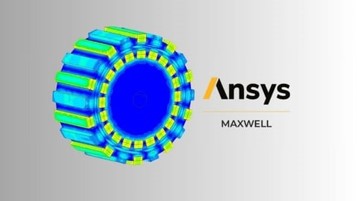
Ansys Maxwell 3D Transient FEA & Electromagnetic Solver Automation
ENGINEERING PROMPT
"Import 18-slot / 4-pole PM rotor topology into Ansys Maxwell 3D and solve transient phase induced-voltage waveforms."
⚡ Cross-platform 3D FEA meshing & solver convergence
PEAK INDUCED VOLTAGE
505.06 V
FINITE ELEMENT SOLVER
3D Transient FEM
Ansys Electronics Desktop • Maxwell 3D Transient | ● RECORDED SESSION
Imports the 18-slot / 4-pole PM rotor with nonlinear electromagnetic material decks into Ansys Maxwell 3D, runs adaptive 3D transient FEM meshing, and extracts 505.06 V peak phase induced-voltage waveforms for high-fidelity electric drivetrain modeling and simulation.
04 • DYNAMIC CONTROL SYSTEMS
MATLAB & Simulink FOC Control Synthesis & Embedded Code Generation
ENGINEERING PROMPT
"Assemble Field-Oriented Control (FOC) subsystem in Simulink with Flux PI, dq2abc transform, and verify current scopes."
⚡ Wiring blocks & executing real-time simulation
CONTROL ARCHITECTURE
FOC Vector
EMBEDDED TARGET
C-Code Ready
MathWorks MATLAB & Simulink • Real-Time Scope | ● RECORDED SESSION
Programmatically builds Simulink Field-Oriented Control (FOC) subsystems, wires Clarke/Park dq2abc transforms and FEA-parameterized Flux/Torque PI loops, and validates phase-current scopes for embedded C-code generation alongside our control engineering and HIL validation services.
ENTERPRISE SOVEREIGNTY & ARCHITECTURE
On-Premise Air-Gapped AI Architecture — Built Inside Your Perimeter
Public cloud LLMs are off-limits for ITAR/EAR defense schematics, proprietary e-drivetrain topologies, and confidential solver decks. Extending WiredWhite’s industrial AI and machine learning engineering expertise, we deploy a turnkey autonomous virtual engineer directly inside your perimeter with zero cloud telemetry.
YOUR PERIMETER · ENGINEERING VLAN
CAD / CAE workstations
AutoCAD · SolidWorks
Motor-CAD · Maxwell 3D
MATLAB & Simulink
WiredWhite bridge — local MCP adapters, approval prompts, stop button
← →
tool calls
mTLS, opened from the workstation
Local AI appliance
Open-weight reasoning model
Agent & MCP orchestration
Project knowledge base
Append-only action log
Apple Mac Studio (192–512 GB unified memory) or multi-GPU NVIDIA RTX workstation
← →
results & licenses
your existing servers
PLM · Git · file server
Results saved as new versions
License servers
FlexNet, Ansys, Autodesk, MathWorks
⊘ Public cloud LLMs: no connection. No WAN dependency, no telemetry.
01 / DEDICATED LOCAL APPLIANCE
100% Air-Gapped On-Premise AI Appliance
Runs entirely on dedicated local workstation hardware (Apple Mac Studio unified memory or multi-GPU NVIDIA RTX workstation) inside your facility with zero external API calls, WAN dependency, or cloud LLM telemetry.
02 / ZERO-TRUST GOVERNANCE
Zero-Egress CAD & Solver IP Sovereignty
Your proprietary DWG schematics, STEP assemblies, electromagnetic lamination topologies, thermal networks, and Simulink control laws remain strictly inside your enterprise VLAN and PLM/Git access controls.
03 / DEMONSTRATED TODAY
MCP & Local Solver Bridges, Shown Working
Working MCP bridges for WiredWhite CALC, AutoCAD, Ansys Motor-CAD, Ansys Maxwell 3D, and MATLAB/Simulink are shown in the recordings on this page. During the pilot we adapt them to your software versions and workflows, and add SolidWorks or other tools on request.
You stay in control of every action
Set a mode per tool. Originals are never overwritten — results are saved as new versions you can roll back, and one click stops every running task.
Read-only
reads models and results
Propose
prepares changes, you apply them
Execute with approval
you confirm each write
Autonomous in a sandbox
works on a copy, hands in for review
← more control · default: propose / execute with approval · more autonomy →
PRIVATE DEPLOYMENT
How a private deployment works
1
Technical call
We map your toolchain, software versions, security constraints, and the first workflow you want to automate.
2
Pilot on one workflow
We adapt the MCP bridges to your versions and run the agent on your own project data, on hardware inside your perimeter.
3
Rollout
More seats and workflows, training for your engineers, and a service agreement for offline updates.
Scope and timeline are agreed on the first call.
What we need from you
✓ Licenses for your CAD/CAE tools with API access
✓ A Windows workstation per seat with those tools
✓ One firewall rule: workstations → appliance
✓ A sample project and one engineer as pilot owner
FOUNDING PILOT PARTNERS
Be one of the first teams to run it on your own projects
We are opening the first private deployments to a small number of engineering teams. Bring one real workflow — we adapt the agent to your tools and versions, and you shape what it automates next.
FULL 46-MINUTE TECHNICAL WALKTHROUGH • WIREDWHITE CALC
46-Minute Engineering Demo: 40.5 kW PMSM Design via Custom MCP & Multi-Solver AI
WiredWhite CALC • AutoCAD 2026 • Motor-CAD • Ansys Maxwell 3D • Simulink | ● FULL 46-MIN UNEDITED SESSION
Watch the unedited 46-minute engineering session: synthesizing a manufacturable 40.5 kW (130.7 N·m/L) PMSM motor with live rotating B-field visualization via custom MCP alongside deterministic PMSM finite-element electromagnetic analysis and CAD workflows.
TECHNICAL & SECURITY ARCHITECTURE FAQ
Frequently Asked Questions: Air-Gapped Engineering AI
How does an air-gapped AI engineering agent protect proprietary CAD and FEA IP compared to cloud LLMs?
Unlike cloud LLMs that transmit prompts and file payloads to external servers, WiredWhite’s autonomous virtual engineer runs local open-weight reasoning models entirely on-premise inside a physical or VLAN air-gapped environment. Zero DWG schematics, STEP assemblies, rotor lamination decks, or Simulink models ever leave your facility—helping you stay within your automotive OEM, defense, and ISO 27001 / TISAX information-security requirements.
Which CAD, FEA, and control simulation suites are supported via local APIs and MCP?
The recorded demos cover Autodesk AutoCAD, Ansys Motor-CAD, Ansys Maxwell 3D, MATLAB & Simulink, and the WiredWhite CALC platform, driven through native COM/.NET/Python APIs and local Model Context Protocol (MCP) servers. Dassault SolidWorks, Siemens NX, COMSOL Multiphysics, Altair Flux, and internal PLM or Git repositories are connected per project through custom MCP bridges, once we confirm that your versions expose the required APIs.
How does the autonomous virtual engineer prevent AI hallucinations in engineering calculations and FEA?
The language model never guesses physics, geometry dimensions, or electromagnetic fields. Instead, the agent acts strictly as an orchestrator—generating parameterized inputs, invoking deterministic solvers (WiredWhite CALC, Ansys Motor-CAD, Maxwell 3D transient FEM, and Simulink), parsing numerical solver telemetry, and validating constraints against IEC, ISO, and electrical sizing rules before outputting production files.
What on-premise hardware is required to run the air-gapped virtual engineer?
WiredWhite specifies and supplies local hardware sized to your team: either a silent Apple Mac Studio (Ultra-class unified memory, 192 GB to 512 GB RAM) for office and R&D labs, or a multi-GPU NVIDIA RTX workstation/server (dual 48 GB to 96 GB VRAM GPUs) co-located on the same local subnet as your Windows or Linux CAD/CAE solver machines.
How does the appliance integrate with existing enterprise CAD, Ansys, and MathWorks license servers?
The virtual engineer authenticates against your existing on-premise FlexNet, Ansys, Autodesk, SolidWorks, and MathWorks network license managers as a standard authorized workstation node on your engineering VLAN. A pilot on one of your workflows is scoped during the first call; the appliance arrives with local model weights and MCP solver bridges pre-loaded and needs no change to external firewall rules.
What does the agent store, and for how long?
Conversations stay on the appliance for 90 days by default — configurable, including “do not store”. Your drawings and models stay in your PLM, Git, or file server; the agent works on working copies. The action log is append-only and kept for one year or per your own retention policy.
Can the agent change or delete my files?
Only within the mode you set per tool: read-only, propose, execute with approval, or autonomous in a sandbox copy. Originals are never overwritten — results are saved as new versions you can roll back, and a stop button halts every running task.
Trademark Disclaimer: all trademarks, logos and brand names mentioned on www.wiredwhite.com are the property of their respective owners. All company, product and service names used in this website are for identification purposes only.