

Best Free AI Tools for Engineering Students in 2026


Artificial intelligence has become a defining force in engineering education. Once seen as optional add-ons, AI tools are now reshaping how students design, simulate, code, analyze data, and even prepare for exams. For the rising generation of engineers, these tools represent both an academic advantage and a head start toward industry-level proficiency.
Below is a curated selection of the most impactful free (or free-for-students) AI tools available in 2026. They span academic research, simulation, coding, productivity, and design — and collectively form a modern engineer’s essentials kit.
AI Study and Writing Assistants
ChatGPT (OpenAI)

ChatGPT remains one of the most versatile study companions for engineering students. Its free tier provides strong capabilities for summarizing textbooks, explaining complex theories, generating project outlines, debugging code, or even preparing presentations. Students use it as a personal tutor that can translate heavy technical material into clear, actionable insights.
Pros
- Useful for rephrasing complex theory into a form suitable for notes or exam revision
- Helps identify obvious mistakes in small code fragments or algorithms
- Convenient for outlining reports and lab write-ups before final editing
- Works as a single reference point when switching between different subjects
Cons
- Often skips details that are usually written between the lines in engineering problems
- Tends to simplify tasks by dropping secondary constraints
- Cannot be used to verify whether a calculated result is actually correct
- Can confidently present incomplete reasoning as a finished solution
Best use cases
Exam preparation, preliminary code checks, structuring written assignments.
Our website features a built-in AI assistant powered by ChatGPT, automatically available to all students who have an active subscription.

Google Gemini

With its deep integration across Google Docs, Slides, and Search, Gemini helps students streamline research and document creation. Its ability to work with text, images, and real-time search results makes it particularly useful for lab reports, concept explanations, and cross-disciplinary engineering tasks.
Pros
- Convenient when working directly inside Google Docs and Slides
- Makes it easier to turn search results into structured text or drafts
- Useful for combining text with screenshots, diagrams, or scanned notes
- Fits well into workflows that already rely on Google Workspace
Cons
- Strongly tied to Google tools, less flexible outside that ecosystem
- Tends to summarise sources rather than analyse them in depth
- Technical explanations can stay superficial for advanced topics
- Less helpful for step-by-step problem solving or code reasoning
Best use cases
Research-based assignments, lab reports, document drafting, quick concept overviews.
Notion AI

Notion AI acts as a productivity engine for students managing multiple projects, labs, and courses. It turns raw notes into structured plans, generates summaries, and assists in creating timelines for capstone and team-based engineering work. Its free plan covers all core features with limited AI usage.
Pros
- Works directly inside Notion without switching apps
- Turns rough notes into outlines or summaries
- Helps track project tasks and deadlines
- Supports collaborative work in shared pages
Cons
- Limited use outside Notion
- Daily usage limits in the free plan
- Output usually needs manual checking
- Not intended for complex calculations or technical analysis
Best use cases
Organising notes, drafting projects, preparing summaries, managing shared tasks.
Grammarly (Free Version)

While not engineering-specific, Grammarly remains a staple for producing polished writing. Laboratory reports, grant-style proposals, and research papers benefit from its editing, clarity suggestions, and tone adjustments. The free tier covers most foundational writing needs.
Pros
- Finds spelling, grammar, and punctuation errors
- Flags unclear or awkward sentences
- Keeps text consistent across documents
- Works with documents, emails, and online text
Cons
- Free version provides fewer suggestions than premium
- Cannot verify technical accuracy or specialized content
- Suggestions need manual checking
- Limited for highly technical or specialized writing
Best use cases
Editing lab reports, refining research papers, checking proposals, reviewing coursework writing.
QuillBot

QuillBot helps students rewrite and simplify complex text — a valuable function for research reviews or rephrasing dense academic sources. Its free version includes paraphrasing and limited summarization tools.
Pros
- Rewrites articles and notes
- Shortens sections
- Removes redundant phrases
- Simplifies complex material
Cons
- Daily limits in free plan
- Cannot check formulas or calculations
- Summaries may lack details
- Tables and technical data require checking
Best use cases
Preparing academic drafts, condensing research notes
Socratic

Socratic offers instant homework help in math, physics, chemistry and other STEM foundations. Students can snap a photo of a problem and receive guided explanations. Its simplicity makes it ideal for first- and second-year engineering coursework.
Pros
- Stepwise solutions for STEM problems
- Works with photographed questions
- Focus on math, physics, chemistry
- Supports early engineering coursework
Cons
- Limited to fundamental problems
- Cannot verify advanced calculations
- Explanations require checking
- Not suitable for full lab or project solutions
Best use cases
Homework problems, checking calculations, reviewing STEM concepts, early engineering coursework.
Coding, Data, and Computational Tools
GitHub Copilot (Free for Students)

Copilot is now a core tool for engineering students working in software-heavy fields such as robotics, embedded systems, and computational engineering. It accelerates coding by generating functions, fixing errors, and suggesting better algorithms. Verified students get full access at no cost, making it one of the highest-value free tools available today.
Pros
- Generates code snippets
- Creates functions automatically
- Detects basic syntax errors
- Fills repetitive code patterns
Cons
- Requires verified student account for free access
- Cannot test code automatically
- Cannot validate algorithms
- User must debug and check results
Best use cases
Writing code snippets, generating repetitive code, prototyping functions, checking syntax.
Windsurf

A completely free alternative to Copilot, Windsurf offers AI code completion for most popular programming languages. It integrates easily with major IDEs and requires no subscription, making it a budget-friendly choice for continuous development work.
Pros
- Generates code snippets
- Completes functions and repetitive patterns
- Supports multiple programming languages
- Connects to IDEs
Cons
- Code must be tested manually
- Cannot validate algorithms
- Complex code requires review
- Session limits may apply
Best use cases
Writing code snippets, completing functions, testing code, checking algorithms.
Google Colab

Colab provides cloud-based Jupyter notebooks with free access to CPUs, GPUs, and TPUs. This enables machine learning experiments, data analysis, simulations, and Python-based coursework without expensive hardware. It is especially valuable for computational engineering, control systems, and AI-driven research projects.
Pros
- Execute Python code
- Access CPU, GPU, TPU
- Open notebook files
- Save and load files
Cons
- Must start runtime manually
- Outputs require user verification
- Cannot run offline
- Settings require manual configuration
Best use cases
Code execution, file management, output verification, resource access.
Kaggle Notebooks

Similar to Colab but oriented toward data science, Kaggle offers free compute resources, built-in datasets, and a collaborative notebook environment — perfect for analytics-driven engineering projects.
Pros
- Execute Python and R code
- Access free compute resources
- Open and edit notebook files
- Use built-in datasets
Cons
- Users must start runtime manually
- Outputs require verification
- Cannot run offline
- Settings require manual configuration
Best use cases
Code execution, file management, dataset usage, output verification.
Perplexity AI

Perplexity has quickly positioned itself as a trusted research assistant. It produces concise, source-backed answers to technical queries and is particularly useful for deep dives into engineering topics, scientific literature, and design considerations.
Pros
- Provides text answers
- Shows sources when available
- Can answer questions
- Generates concise responses
Cons
- Results must be checked
- Sources may be incomplete
- Cannot verify calculations
- Cannot check design outputs
Best use cases
Query answers, source checking, result verification, text review.
WolframAlpha

A classic tool for engineering math, WolframAlpha handles calculus, linear algebra, differential equations, physics, statistics, and more. Its free tier solves many textbook-level problems and generates visualizations. It remains indispensable for engineering fundamentals.
Pros
- It can solve problems in algebra and calculus.
- Differential equations can be entered and solved step by step.
- Physics and statistics problems can be calculated.
- Graphs and charts are produced from the user’s input.
Cons
- The user is responsible for checking each result.
- The free tier limits the number of queries per day.
- External data cannot be automatically validated.
- Multi-step problems require manual verification by the user.
Best use cases
Entering equations, solving algebra or calculus problems, creating graphs, checking results.
AI-Enhanced Design, Simulation and Modeling
FreeCAD
FreeCAD remains the leading free, open-source CAD platform. It supports parametric modeling, mechanical design, and geometry creation — all without licensing costs. For students building prototypes or practicing 3D modeling, it provides a reliable and professional-grade environment.
Pros
- Users can create 3D shapes with specific dimensions.
- Parametric features can be adjusted by changing input values.
- Mechanical components are modeled by defining parts and assemblies.
- Models can be saved or exported in commonly used formats.
Cons
- All modeling steps must be performed manually.
- Design outputs must be checked by the user.
- Complex assemblies require step-by-step verification.
- Users acquire knowledge of features through hands-on use.
Best use cases
Creating 3D models, designing parametric parts, assembling mechanical components, saving and exporting files.
Fusion 360 (Free for Students)

Fusion 360 is a powerhouse for CAD/CAM/CAE. Through its education license, students gain free access to advanced modeling tools, simulation features, electronics design, and AI-driven generative design. It’s one of the few professional platforms offering full access to students without cost barriers. One practical beginner walkthrough is listed here.
Pros
- Users can create 3D models with parametric features.
- Mechanical assemblies can be defined and modified.
- Simulations are run based on input parameters.
- Electronics and circuit designs can be included in projects.
Cons
- All steps must be performed manually by the user.
- Results of simulations require verification.
- Complex assemblies need step-by-step checking.
- Learning the tools and commands requires practice.
Best use cases
3D modeling, parametric assembly design, running simulations, electronics design, saving and exporting projects.
SimScale (Free Academic Tier)

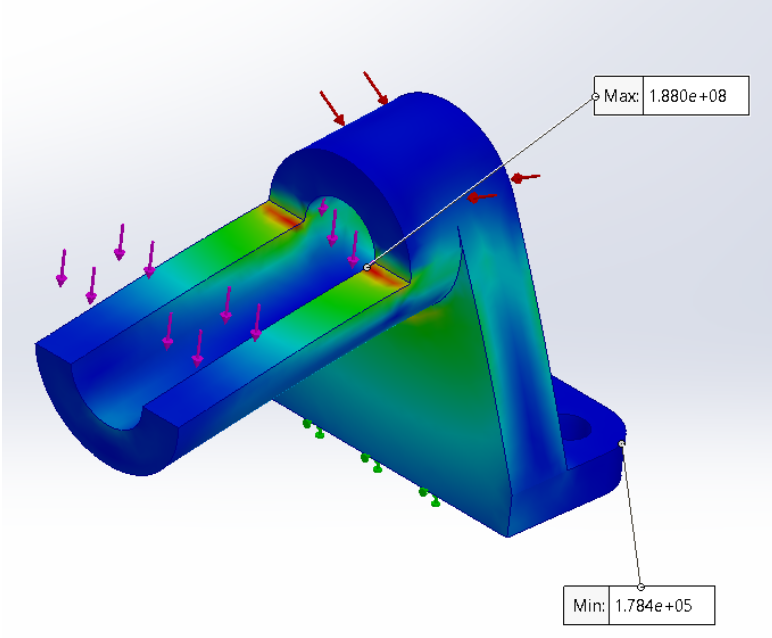
SimScale brings high-end simulation — FEA, CFD, and thermal analysis — directly into the browser. Its free community plan gives students access to several core physics solvers and thousands of compute hours. For students without access to expensive simulation labs, SimScale is a breakthrough resource.
Pros
- Users can run finite element (FEA) simulations.
- Computational fluid dynamics (CFD) analyses are supported.
- Thermal analysis of models can be performed.
- Simulation outputs can be visualized in the browser.
Cons
- Users must check all simulation results.
- Free tier limits number of solver uses and compute hours.
- Complex simulations require manual setup and verification.
- Preprocessing of models must be done manually.
Best use cases
FEA simulation, CFD analysis, thermal modeling, visualizing simulation results, verifying outputs.
Canva (Free Tier)

While not an engineering tool in the strict sense, Canva is a modern necessity for engineers preparing reports, posters, and presentations. Its AI-powered writing and layout assistants help students turn technical content into clear, professional visuals suited for conferences, competitions, and portfolio work.
Pros
- Users can create posters, reports, and presentation slides.
- Text and graphics can be arranged on predefined templates.
- Images and diagrams can be added and adjusted manually.
- Designs can be exported in common file formats.
Cons
- Users are responsible for checking all visual content.
- The free plan does not include premium templates or assets.
- Complicated designs must be adjusted manually by the user.
- All content must be reviewed for correctness.
Best use cases
Creating reports, making posters, designing presentations, arranging text and graphics, exporting visual materials.
Best Free AI Tools Comparison Table
| Tool | Primary Purpose | Key Features | Platform | Pricing |
| ChatGPT | Tutoring & writing | Explanation, summarization, coding | Web | Free tier |
| Google Gemini | Research & productivity | Integrated AI across Google apps | Web | Free |
| Notion AI | Organization | Note-to-summary, task generation | Web/Desktop/Mobile | Freemium |
| Grammarly | Writing polish | Grammar, clarity, tone | Web/Desktop | Freemium |
| GitHub Copilot | Coding assistant | Code generation & debugging | IDEs | Free for students |
| Codeium | Coding | Unlimited AI code completion | IDEs | Free |
| Google Colab | ML & simulation | Free GPU/TPU compute | Web | Free |
| Perplexity AI | Research | AI search with citations | Web | Free |
| WolframAlpha | Math solver | Calculations & plots | Web | Free tier |
| FreeCAD | CAD modeling | Parametric 3D design | Desktop | Free |
| Fusion 360 | CAD/CAE/CAM | Simulation, generative design | Desktop/Web | Free for students |
| SimScale | Engineering simulation | CFD, FEA, thermal | Web | Free academic tier |
| Canva | Presentations | Templates, AI design | Web/Mobile | Freemium |
The Bottom Line
In 2026, the modern engineering student operates in an environment where AI is not merely supplemental — it is foundational. These free or nearly free tools collectively level the playing field, giving students access to capabilities once reserved for advanced research labs or professional engineering teams.
Whether drafting a report, writing code, modeling a prototype, or simulating complex systems, today’s students have an unprecedented advantage: world-class tools without world-class price tags.
We also have real, live AI-trained tutors on hand — people who guide students through difficult engineering topics, give personalized feedback, and help tackle complex assignments.








Responses