

Kompas-3D vs. AutoCAD vs. SolidWorks: Which CAD Software Should Engineers Choose in 2026?

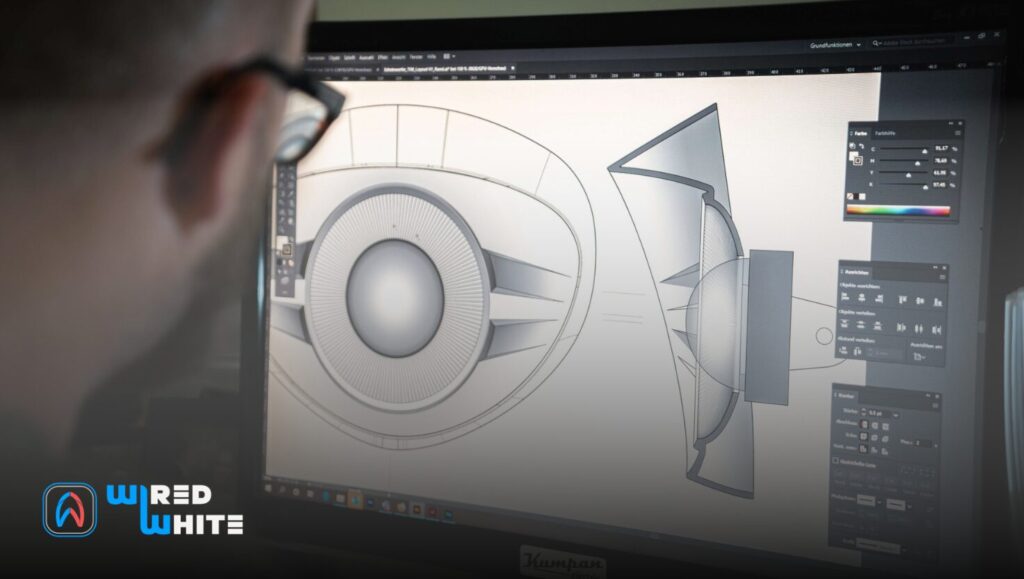
Computer-aided design (CAD) has become a core skill for modern engineers, but choosing the right software is no longer obvious. Kompas-3D, AutoCAD, and SolidWorks dominate different parts of the CAD world, each offering unique advantages, limitations, and career implications.
This article doesn’t just describe these tools — it directly answers the key question: Kompas-3D vs. AutoCAD vs. SolidWorks: Which CAD Software Should Engineers Choose in 2026?
By comparing them across features, usability, licensing models, industry relevance, and ecosystems, this guide helps engineering students and early-career professionals make a strategic, future-oriented decision — not just a technical one.
Quick Comparison: OS,Price, Learning Curve
| Kompas-3D | AutoCAD | SolidWorks | |
| Operating System | Windows (Linux planned) | Windows, macOS, Web | Windows only |
| Price Model | Perpetual | Subscription | Subscription / Perpetual |
| Student Version | Yes (cheap/free) | Free (3 years) | Free (edu) |
| Primary Use | Mechanical CAD | 2D Drafting | 3D Product Design |
What Each Tool is Best Used for:
Kompas‑3D: Overview and Features
Kompas‑3D lets engineers build complex 3D models (e.g. assemblies of machinery) with parametric tools and generate 2D drawings from them. Kompas‑3D is a Russian-developed 3D CAD system (by ASCON) aimed mainly at mechanical design. It runs on Windows (with a Linux version expected in 2026) and is used heavily by Russian and CIS companies. It focuses on parametric solid modeling: you sketch 2D profiles, then extrude, revolve, cut, etc., while design intent is captured in parameters (as in other parametric CAD). It also supports surface and sheet-metal modeling, and object-based modeling (pre-defined components like pipes, beams, gears).
Kompas‑3D uses ASCON’s own C3D geometric kernel and offers associative 2D drafting: for every 3D part or assembly you can auto-generate drawings and update them with model changes. Kompas‑3D includes built-in analysis tools and calculators (geometric calculations, spring/dynamics sizing, basic strength estimations, even some CFD/thermal modules). It also provides industry-specific add-ons (e.g. electrical wiring, piping design, electronics) and integrates into ASCON’s PLM platform. Reviews note that Kompas‑3D has “powerful parameterization”, “advanced 2D sketching and drafting”, and “strong sheet-metal features”. ASCON promotes it as easy to learn, with a modern, customizable UI (context tool panels, hotkeys, command search). Thousands of enterprises (in mechanical engineering, automotive, aerospace, shipbuilding, etc.) reportedly use Kompas‑3D
Pros: Full 3D parametric modeling plus drawing, design automation (standards libraries), low hardware needs. Comes as a perpetual license (~$3,150 USD). There is also a “Student” edition at a steep discount and even a free “light” version for home use (limited features).
Cons: Not widely used outside Eastern Europe, fewer third-party integrations than global brands. Documentation and community resources may be limited for non-Russian users.
AutoCAD: Overview and Feature
AutoCAD (by Autodesk) is the long-time industry standard for 2D drafting and documentation. It runs on Windows and macOS and also offers web and mobile apps. AutoCAD’s core strength is precision 2D drafting – architects, mechanical drafters, and construction engineers use it to produce floorplans, schematics, and detail drawings. It also has 3D capabilities (with 3D Basics and Modeling workspaces), but its 3D tools are generally simpler (for visualization and basic solids/surfaces) compared to a full parametric modeler. It supports parametric constraints (dimensions/relations in 2D/3D), but complex 3D assembly design is better handled by specialized tools.
In recent releases Autodesk has added AI and cloud features. AutoCAD 2026 uses Autodesk AI for tasks like Markup Import/Assist (turn hand-drawn feedback into edits) and Smart Blocks (AI-aided block creation). It also integrates tightly with Autodesk Docs: for example, you can share a DWG via the cloud, track multi-user edits and version history, and even do web-based multi-user markups. There are industry-specific toolsets built on the AutoCAD core (for architecture, MEP, mechanical, etc.) that boost productivity (Autodesk claims up to +63% faster in certain tasks). AutoCAD supports GIS basemaps (ArcGIS layers) for site plans and works with many file formats (DWG/DXF, PDF, IFC, etc.).
Pros: Universally taught and recognized; extremely powerful 2D drafting and documentation; part of a vast Autodesk ecosystem (Revit, Inventor, Fusion 360, etc.). Subscriptions give web/mobile access to drawings, and thousands of plugins exist.
Cons: Subscription pricing (~$2,095/year) can be expensive. Its 3D modeling and simulation capabilities are modest; engineers often use it in tandem with Inventor or Revit for 3D parametric design or BIM. For beginners, the learning curve is moderate: the interface is mature (panels, ribbons), and many tutorials exist, but mastering all toolsets takes time. Autodesk offers a free 3‑year student license for AutoCAD (through its Education program), making it very accessible for students.
SolidWorks: Overview and Features
SolidWorks provides a rich 3D modeling environment (here showing an assembly) with strong simulation and data-management support. SolidWorks (by Dassault Systèmes) is a full-featured parametric 3D CAD system for product design. It runs on Windows and emphasizes intuitive 3D part and assembly modeling. Every model is defined by sketches and features (extrudes, cuts, sweeps, etc.) with full parameter-driven design. SolidWorks also includes robust surfacing and advanced sheet-metal tools; Standard and Professional editions include libraries of fasteners, basic costing, and automated drafting.
A key strength is integrated simulation and analysis: SolidWorks Simulation (part of the Premium suite) provides linear static FEA and time-based motion studies, plus add-ons for CFD (Flow), plastics filling, and electrical harness routing. This lets you test designs for strength, motion, or fluid flow within the same environment. Data management and collaboration come via the Dassault 3DEXPERIENCE platform: SolidWorks 2026 allows cloud file sharing, real-time collaborative editing, and built-in lifecycle (PDM) tools. New AI-driven enhancements (AI drawing generation, faster rebuilds, “Smart Mates” for auto-aligning fasteners, etc.) aim to speed up design tasks. SolidWorks is widely used in mechanical, automotive, aerospace, industrial equipment, and consumer-product design. It is trusted by over 8 million engineers worldwide. The interface is considered user-friendly and consistent, and many users find it intuitive to learn for 3D work – though mastering complex assemblies and parametric relationships does take practice. Like AutoCAD, SolidWorks offers free access for students: if your school has a license, you get a full Student Engineering Kit and serials for your own PC. Otherwise, SolidWorks is subscription-based; prices are roughly $2,820/year for the Standard edition up to $4,716/year for Premium (bundled perpetual licenses are also available via resellers).
Pros: Extremely powerful 3D modeling and simulation; very popular in industry (lots of community support and job demand); tight integration of tools (CAM, ECAD, etc., via add-ons).
Cons: Can be expensive; Windows-only; learning to use all features effectively takes time.
Feature Comparison
| Capability | Kompas-3D | AutoCAD | SolidWorks |
| 2D Drafting & Drawing | Full 2D drafting linked to 3D models; generates drawings and BOMs automatically. | Industry-leading 2D drafting (DWG); produces plans, schematics, etc. Many specialized toolsets. | Robust 2D drawings from 3D parts/assemblies. Also has DraftSight for standalone 2D CAD. |
| 3D Modeling | Solid, surface, sheet-metal, and “object” modeling. Parametric 3D parts & large assemblies. | Basic 3D modeling (solids, surfaces) primarily for visualization. Can model 3D shapes and render. | Full 3D parametric modeling of parts and assemblies. Handles complex multi-part assemblies. |
| Parametric Design | Yes – fully associative dimensions and constraints (parametric drive). | Limited – has geometric constraints but no mastersmith “feature history” like SW. | Yes – core philosophy. All geometry driven by parameters/relations. |
| Assembly/Collisions | Supports multi-part assemblies with constraints. Includes interference checking. | Can assemble 3D blocks, but not as streamlined. Better for 2D layouts. | Advanced assembly tools, mates, top-down design. New “Smart Fasteners” help auto-align parts. |
| Sheet Metal | Built-in sheet-metal design (bend, unfold, flat-pattern). | Supports 3D solids/surfaces; no dedicated sheet-metal module (some functionality via Mechanical toolset). | Specialized sheet-metal module (Standard) with flange tools. |
| Surface Modeling | Yes – extensive surface and freeform modeling tools. | Yes – includes NURBS surfaces and freeform. | Yes – powerful surfacing; can convert between solids and surfaces. |
| Simulation & Analysis | Basic built-in calculators (springs, gears, CFD/thermal shortcuts). No full FEA. | None built-in (requires Inventor/Nastran etc.). | Full Simulation suite (FEA, thermal, flow) in higher editions. Motion analysis, etc. |
| Collaboration/Cloud | Local file sharing; PLM integration (Pilot) for teams. Fewer cloud features. | Strong cloud tools (Autodesk Docs/ACDS): multi-user markups, versioning, mobile/web access. | Cloud PDM & collaboration via 3DEXPERIENCE – version management, sharing in browser. |
| Supported OS | Windows 7/8/10/11 (64-bit); Linux version coming. | Windows (x64) and macOS; web app cross-platform. | Windows 10/11 (64-bit) only. |
| Learning Curve | Moderate. The interface is customizable and “easy to learn” by design. Good tutorials exist, though fewer than for AutoCAD/SW. | Moderate. Many resources and a massive user base; familiar UI. Strong community and training available. | Moderate-to-steep. Intuitive UI for 3D modeling, but mastering parametric best-practices and large assemblies takes time. |
| Price (Professional) | Perpetual license ~US$3,150 (based on TechJockey 2025). 30-day trial available. | Subscription: ~$2,095/year (or ~$260/month); 3-year ~ $5,655. (Pay-as-you-go available.) | Subscription: ~$2,820/year (Standard) to ~$4,716/year (Premium). Perpetual (device) licenses are also sold via resellers. |
| Student/Edu Versions | Discounted educational licenses (for students/ faculty). (ASCON also offers a low‑cost $95 “home” edition.) | Free for students/educators via Autodesk Education program (3-year term). | Free for qualifying schools (Student Engineering Kit) or via competition teams; otherwise student editions (watermarked) can be obtained. |
Summary:
All three tools have large learning communities, but differ in approach:
Kompas‑3D: ASCON touts an “easy to learn” interface. Users praise its logical workflow for mechanical parts. The ribbon/tool-panel UI can be customized. Because it’s less common globally, fewer English tutorials exist than for AutoCAD or SolidWorks, but the core concepts (sketch→feature→assembly) are familiar if you’ve used any parametric CAD.
AutoCAD: Has been around for decades, so many students start with it. Its interface (menus/ribbons) is polished and supported by countless tutorials and books. Beginners might find the sheer number of commands overwhelming at first. However, its basic concepts (lines, layers, blocks, dimensions) are straightforward, and 2D drafting tasks are very well documented. Many learn AutoCAD in school or on the job, so peer support is easy to find.
SolidWorks: Often considered user-friendly for 3D – its feature tree and sketch-based modeling feel intuitive to many new users. Official SolidWorks training, forums, and online guides are plentiful. At Dassault’s site, SolidWorks emphasizes an “intuitive user interface”. That said, parametric CAD requires disciplined planning: beginners may struggle with feature order or complex assemblies until they get experience. Overall, most mechanical engineers report that SolidWorks was easier to pick up for 3D modeling than other full CAD packages.
Pricing, Licensing, and Student Access
Pricing models differ:
Kompas‑3D: Sold as a perpetual license (~US$3,150 for a single-user license). No subscription option. ASCON also sells low-cost variants (e.g. a “light” or home version) and highly discounted educational licenses. A 30-day free trial is available.
AutoCAD: Subscription-only. Approximately $2,095/year for one seat (or about $260/month). Three-year plans offer some savings. Autodesk provides a free 3-year license to students and educators (for learning and noncommercial use). AutoCAD is also included in Autodesk’s AEC and Manufacturing software collections, which bundle multiple tools at higher cost.
SolidWorks: Primarily subscription-based (via Dassault’s 3DEXPERIENCE platform). The Standard edition is about $2,820/year, Professional ~$3,456/yr, and Premium ~$4,716/yr. Some buyers still choose perpetual (node-locked) licenses via local resellers. SolidWorks education licenses are offered to schools; students at licensed institutions can often get free Student Engineering Kit licenses for their PCs. Otherwise, a limited student edition (watermarked) can be purchased online at a low cost.
Ecosystem and Integration
Kompas‑3D integrates with ASCON’s ecosystem (e.g. Pilot PLM, Renga BIM), and supports common file formats (STEP, IGES, DWG, etc.). Its advantage is independence: it uses a Russian C3D kernel and is often adopted as a “local” substitute for Western CAD. However, it has fewer third-party plugins and limited cloud tools.
AutoCAD is part of the vast Autodesk suite. It easily exchanges data with Revit (BIM), Civil 3D, Inventor (mechanical), Fusion 360, and CAM products. Cloud features like Autodesk Docs/ACDS tie AutoCAD into project workflows: you can push drawings to the cloud, collaborate on markups, and manage revisions via Autodesk’s cloud. AutoCAD also allows LISP/VBA custom automation and has thousands of add-ons (see Autodesk App Store).
SolidWorks ties into Dassault’s 3DEXPERIENCE platform. It can connect to cloud PDM, the AEXCEL tool (design with Excel), and even browser-based viewers. SolidWorks has its own suite of addons (Simulation, Electrical, Plastics, Visualize, etc.) and works with partner products (e.g. CAMWorks for CAM). Version 2026 includes “Shop Floor Programmer” (basic NC programming) cloud tool for machining. SolidWorks files can import/export many CAD formats; it also links with CATIA via 3DEXPERIENCE for multi-disciplinary work.
Choosing the Right Tool
For Beginners/Students: If you’re new to CAD, consider your field and resources. AutoCAD (free for students) is a great start for learning CAD fundamentals, especially if you’re into architecture or general drafting. SolidWorks is ideal if you’re heading into mechanical/product design; its user-friendly 3D interface has a gentler learning curve for 3D modeling, and many campuses offer SolidWorks for education. Kompas-3D may be worth learning if you are in a region or industry where it’s widely used (e.g. Russian tech firms) or if budget/education licenses make it very accessible.
For Career Goals: SolidWorks skills open doors in manufacturing, automotive, aerospace, and product design jobs worldwide. AutoCAD proficiency is essential for civil engineering, architecture, and many mechanical drafting roles. Kompas‑3D specialists find work mostly in the CIS and allied industries.
Budget & Licenses: AutoCAD and SolidWorks have significant ongoing costs (subscription), while Kompas-3D’s one-time license can be more cost-effective. All three offer free or discounted versions for students.
Recommendation: If you need advanced 3D design and simulation (and target global engineering jobs), SolidWorks is generally the top choice. If you primarily need 2D drafting or work in AEC, AutoCAD is indispensable. Kompas‑3D can be the right tool if you specifically plan to work with companies that use it (and want strong parametric 3D CAD on a lower budget). In practice, many engineers end up learning both AutoCAD and SolidWorks, as they serve different roles in industry. Evaluate your goals: for mechanical modeling, go SolidWorks; for architectural/plan drafting, choose AutoCAD; for niche/localized mechanical design with cost constraints, Kompas‑3D may fit the bill.Computer-aided design (CAD) is essential for engineers today. Kompas‑3D, AutoCAD, and SolidWorks are three major CAD packages, each with its own strengths. This article compares them across key aspects – features, ease-of-use, licensing, industry use, and ecosystem – to help engineering students and new professionals pick the right tool.











Responses