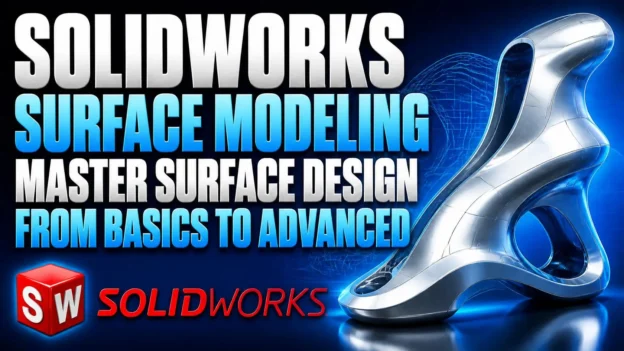
SolidWorks Surface Modeling: Master Surface Design from Basics to Advanced

By Ben Hur Demetrius Oliveira Cruz Categories: Mechanical Design
About Course
This course provides a structured introduction to surface modeling in SolidWorks, taking you from fundamental surface tools to more advanced modeling techniques. Through step-by-step video lessons, you will learn how to create, modify, trim, extend, and combine complex surfaces while developing practical skills for professional 3D design.
The course also includes a complete mouse modeling project, allowing you to apply the techniques in a practical design workflow and better understand how different surface features work together.
You will work with essential SolidWorks surface tools, including Extruded Surface, Revolved Surface, Swept Surface, Lofted Surface, Filled Surface, Freeform, Planar Surface, Offset Surface, Ruled Surface, Trim Surface, Extend Surface, Replace Face, Delete Face, Untrim Surface, and Knit Surface.
Whether you are new to SolidWorks surfaces or want to strengthen your existing modeling skills, this course will help you build a solid foundation for creating more complex and organic 3D designs.
What Will You Learn?
- Get familiar with the SolidWorks interface and essential modeling tools
- Create and edit sketches using core sketching commands
- Master essential SolidWorks surface modeling commands and techniques
- Apply surface modeling tools to create basic and intermediate designs
- Build practical surface modeling projects from start to finish
Course Content
Introduction to Solidworks
- 03:50
Introduction to 2D Sketch
08:51Introduction to Sketch Relations
05:55
Introduction to Sketch Commands and Modeling
Introduction to Line Command
06:44Introduction to Rectangle Command
03:58Introduction to Slot Command
04:26Introduction to Circle Command
02:25Introduction to Spline And Ellipse Command
01:12Introduction to Fillet And Chamfer Command
02:29Introduction to Text Command
02:12Introduction to Extruded Boss/Base Command
07:55Introduction to Extruded Cut Command
02:49Introduction to Revolved Boss/Base Command
02:13Introduction to Swept Boss/Base Command
01:23Introduction to Comando Fillet, Chamfer, And Shell
01:01Introduction to Hole Wizard Command
02:22Introduction to Pattern Command
02:50
Introduction to Surface Commands
- 07:10
Revolved Surface Command
02:17Swept Surface Command
01:33Loft Surface Command
04:49Trim Surface Command
02:06Introduction To The Extend Surface
01:28Introduction To The Boundary Surface
01:47Introduction To The Thicken Surface
01:03Planar Surface, Knit Surface, and Surface Fillet Commands
02:10Filled Surface and Delete Face Commands
01:39Introduction To The Flex Surface
07:41Introduction To The Ruled Surface
01:12
Surface Projects – PET Bottle Modeling
600 Ml PET Bottle – 1
09:10600 Ml PET Bottle – 2
06:40600 Ml PET Bottle – 3
02:01600 Ml PET Bottle – 4
09:15600 Ml PET Bottle – 5
04:48600 Ml PET Bottle – 6
06:12600 Ml PET Bottle – 7
05:20Project images
Advanced Modeling – Cooler Design Project
Base Of The CPU Cooler – Part 1
07:06Base Of The CPU Cooler – Part 2
06:44Base Of The CPU Cooler – Part 3
02:06Base Of The CPU Cooler – Part 4
04:48Base Of The CPU Cooler – Part 5
02:51CPU Cooler – Part 1
04:04CPU Cooler – Part 2
01:52CPU Cooler – Part 3
02:24CPU Cooler – Part 4
05:42CPU Cooler – Part 5
01:08Assembly CPU Cooler
06:28Motion CPU Cooler
00:51
Surface Projects – Mouse Project
Modeling Surface Mouse – Part 1
05:36Modeling Surface Mouse – Part 2
03:59Modeling Surface Mouse – Part 3
07:15Modeling Surface Mouse – Part 4
01:37Modeling Surface Mouse – Part 5
05:24Modeling Surface Mouse – Part 6
04:33Modeling Surface Mouse – Part 7
07:28Modeling Surface Mouse – Part 8
01:37Modeling Surface Mouse – Part 9
07:50Modeling Surface Mouse – Part 10
03:36Modeling Surface Mouse – Part 11
01:43Modeling Surface Mouse – Part 12
01:18Modeling Surface Mouse – Part 13
08:28Modeling Surface Mouse – Part 14
02:35Modeling Surface Mouse – Part 15
04:35Project image
Receive a certificate
Add this certificate to your resume to demonstrate your skills & increase your chances of getting noticed.
Student Ratings & Reviews

No Review Yet